Copy an Event
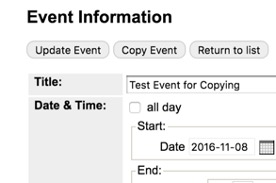
If you are adding an event, or event series, and event from an earlier date is already on the calendar, you can use it to recreate a new event.
From an Existing event
- Using the search and date-picker functions, Find, and select, a past event in Manage Events. Use "all groups" to broaden scope of search.
- Select the event you want to copy.
- Click
Copy Event. IfCopy Eventis not present, go to an instance, then use back button to return to master event. - Change the date and time for the next instance (or series) of the event.
- Click
Add Event.
From Approval Queue
- Navigate to
Approval Queue - Find your event. Choose
Edit Master - Click
Copy Event. - Change the date and time for the next instance (or series) of the event.
- Click
Add Event.